
TL;DR
If you searched for vue-loading-spinner, check the version before copying an example. The npm registry currently serves vue-loading-spinner@1.0.11, whose package metadata depends on Vue 2. The project’s repository describes a Vue 3 rewrite as version 2.0.0, but that version is not the registry’s published latest release. For a Vue 3 app, use a component with verified Vue 3 documentation, such as the separate DOM Studio Spinner reference, rather than assuming the registry package and repository README describe the same installable build. (npm registry; project repository; DOM Studio Spinner)
This is a package and compatibility lookup, with a short implementation checklist. It is not a replacement for the original package’s documentation or our existing Vue 3 loading-state implementation guide. In particular, vue-loading-spinner, DOM Studio’s DomSpinner, and a generic spinner drawn with CSS are different things. Confirm which one your project uses before borrowing its import path, props, or setup instructions.
Table of contents
- Find the right spinner documentation
- Install and use the published Vue 2 package
- What the Vue 3 repository does and does not establish
- Use DOM Studio’s separate Vue spinner in an editable interface
- Choose the smallest honest loading scope
- FAQ
- Next step
- Sources
- Recommended Reads
Find the right spinner documentation
| You need | Go to | What to verify first |
|---|---|---|
The published vue-loading-spinner npm package |
Registry version record and the version-matched package files | The published release is 1.0.11 and declares Vue ^2.3.3 as a dependency. |
| The project’s newer Vue 3 source | Project README and repository package manifest | The repository describes version 2.0.0 and Vue ^3.3.0 as a peer dependency; do not assume an npm install obtains this source. |
| A documented, editable Vue 3 visual spinner | DOM Studio’s Spinner playground and reference | It is the different DomSpinner component, with its own install and import instructions. |
| A full-page or panel overlay instead of a spinner alone | Our loading-overlay reference | An overlay changes interaction and focus behavior; it is not just a larger spinner. |
The distinction matters more than the animation style. The current repository README includes a bun add vue-loading-spinner instruction and Vue 3 <script setup> examples. The actual registry’s latest metadata, checked for this guide, identifies a Vue 2 package. Treat the README as documentation for the repository source unless a matching Vue 3 package release appears; check the registry again when you install. This comparison is about published artifacts versus repository contents, not a claim that the rewrite’s code is broken. (registry latest metadata; repository README; repository manifest)

Install and use the published Vue 2 package
If you maintain a Vue 2 project and explicitly want the npm artifact inspected here, pin the version so a future publication does not silently change the contract:
npm install vue-loading-spinner@1.0.11
The published package’s entry point is src/index.js, which exports named components including Circle, DoubleBounce, Hexagon, and RotateSquare2. In that version’s source, Circle has a size prop defaulting to 40px. These are claims about 1.0.11, not a shared API across versions or a description of DOM Studio’s spinner. (published package manifest; published component exports; version-matched Circle source)
For an existing Vue 2 single-file-component build that can process this package’s .vue files and SCSS, the following example registers the exported Circle locally. It only renders the visual indicator and guards the button; the parent must pass a real pending value and implement the save request, completion message, error handling, and duplicate-write protection. The package’s declared dependencies include older Sass tooling, so verify that your project’s build pipeline can consume them before adoption. Vue 2’s documentation describes the components option used for local registration. (Vue 2 component registration; published package manifest)
<!-- SaveAction.vue, for a Vue 2 project with an appropriate SFC build -->
<script>
import { Circle } from 'vue-loading-spinner'

export default {
  components: { Circle },
  props: {
    pending: { type: Boolean, default: false }
  }
}
</script>

<template>
  <div>
    <button type="button" :disabled="pending" @click="$emit('save')">
      <Circle v-if="pending" size="20px" aria-hidden="true" />
      {{ pending ? 'Saving…' : 'Save' }}
    </button>
    <p role="status" aria-atomic="true">
      {{ pending ? 'Saving changes' : '' }}
    </p>
  </div>
</template>
Mount the status element before the first update, so assistive technology can discover its subsequent message. When the request ends, have the parent display a durable success or error message nearby; merely changing pending to false is not an understandable result. The button’s disabled state guards only this control; server-side validation and idempotency remain application responsibilities. The snippet has not been executed against your build or API. (W3C status-message technique)
Watch for a stale README example. The older README at the release’s source commit shows a deep import from vue-loading-spinner/components/Cube, while the inspected published 1.0.11 entry point exposes CubeShadow and named exports. A requested /components/ directory is not present in the published package-file listing. Prefer the version-matched published exports over a copied deep path, and inspect the actual package files if you choose another shape. (older README; published exports; published package files)
What the Vue 3 repository does and does not establish
The repository’s February 2026 migration introduced Vue 3 source, a plugin that registers spinner components, and a useLoading composable. Its source exports named components such as Circle and RotateSquare2; useLoading wraps an asynchronous function and resets its loading flag in finally. Those observations describe a specific repository commit, not functionality you receive by installing the registry’s Vue 2 release. (migration commit; Vue 3 exports; useLoading source)
If you are evaluating a source installation, verify the exact commit, its build instructions, bundled CSS, security and maintenance requirements, and your package manager’s installation semantics. We do not supply an unverified Git-install recipe here. Nor should a pending-state helper be mistaken for a request policy: resetting a Boolean in finally does not by itself prevent a second request, handle a failed save, or keep an older response from replacing newer data. Work out those behaviors in the feature that owns the operation.
Use DOM Studio’s separate Vue spinner in an editable interface
For a Vue 3 application using DOM Studio, our live Spinner page shows the current DomSpinner example and its package setup rather than the unrelated vue-loading-spinner npm package. The live page documents label, size, tone, background, and foreground controls. It provides a runnable playground to inspect sizing and visual treatment; consult it for the actual import path and full prop defaults instead of transposing examples from the older npm package. (DOM Studio Spinner reference)
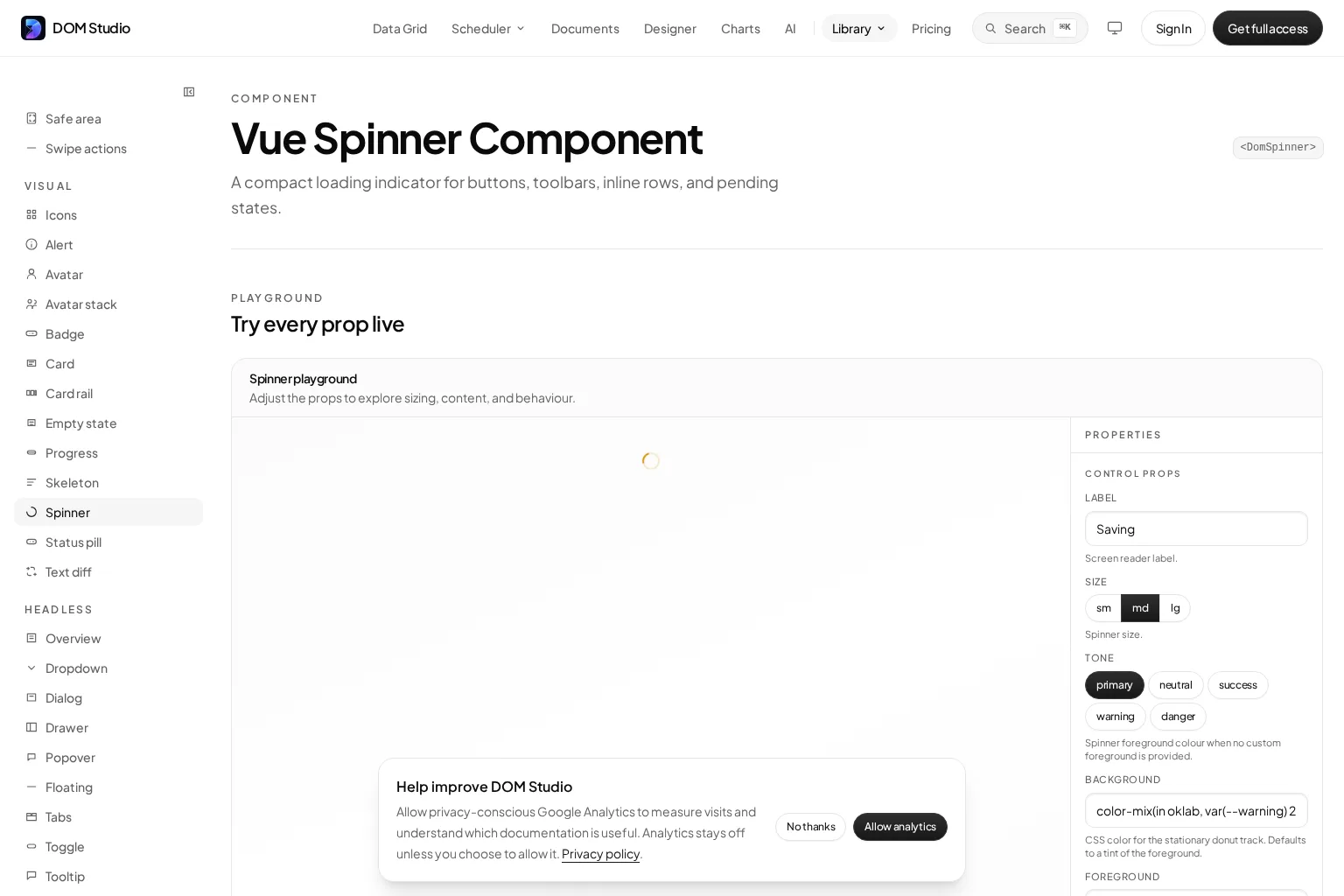
In a feature, let the request state determine when to render a spinner; let a status message identify what is pending. A spinner’s presentation props do not know whether saving finished, whether a route is usable, or whether a generated answer has failed. Our existing Vue 3 loading-state guide has the longer list and form examples, so this reference stops at the package boundary rather than repeating that tutorial.
Choose the smallest honest loading scope
A package answers how to draw an indicator. The affected operation determines where it belongs. Use this as a quick placement reference, then adapt it to your application’s actual concurrency and error policy:
| Pending work | Better default | Avoid |
|---|---|---|
| One Save action | Spinner and text in or beside the action; guard repeated submission. | Locking the whole dashboard because one form saves. |
| Initial load with predictable card geometry | Reserved layout or skeleton, plus useful loading text. | An empty page with no indication of what will appear. |
| Refresh of an existing panel | Local status near the panel; keep still-useful data available. | Replacing every other panel with a page-wide mask. |
| Long upload with measurable progress | Progress derived from real units and an outcome message. | A fabricated percentage inferred from a spinning ring. |
| Route transition that truly blocks the view | A route-level state with clear recovery on failure. | A permanent whole-page overlay with no timeout or retry policy. |
| AI answer generation | Status beside the pending answer; preserve earlier messages. | Announcing every token or blocking unrelated navigation. |
These are design defaults, not promises supplied by either spinner library. When a panel is being updated, aria-busy can identify that region for assistive technology, but it does not disable controls or replace a clear status message. Keep a persistent role="status" outside the busy content when you need a pending announcement, and test completion and failure as well as start. (MDN on aria-busy; W3C on role=status)
If motion is reduced in the user’s system preferences, test an alternative to continuous animation while keeping the status legible. The CSS prefers-reduced-motion media feature detects that preference. Check the actual foreground and background combination of your chosen indicator in every theme rather than assuming a default palette provides sufficient contrast. (MDN reduced-motion reference)
For a complementary accessibility walkthrough, this video focuses on making a loading spinner and progress bar understandable rather than selecting a Vue package:
FAQ
Can I install the Vue 3 rewrite with npm install vue-loading-spinner?
Not on the basis of the registry record inspected for this article: its latest tag points to 1.0.11, which declares Vue 2. The repository’s manifest says 2.0.0, but repository version fields alone do not publish a package. Check the registry’s dist-tag and the installed artifact again before changing a production dependency. (npm registry; repository package manifest)
Is DomSpinner an export of vue-loading-spinner?
No. It belongs to DOM Studio’s separate component documentation and installation flow. The vue-loading-spinner@1.0.11 entry point exports components under names such as Circle, not DomSpinner. Use the DOM Studio Spinner reference for its import and props, and the published 1.0.11 exports for the older package.
Does a spinner alone tell users when work succeeds or fails?
No. Connect the indicator to operation-specific state and a text status; finish with a visible outcome or recovery action. W3C’s status technique explains how a pre-existing status container communicates changes without moving focus. For a fully wired Vue 3 list and form, continue with our accessible loading states guide. (W3C status-message technique)
Next step
Identify your project’s Vue major version, compare it with the package actually published, and choose the matching documentation. If you use DOM Studio in Vue 3, try the Spinner playground to choose a visual treatment, then connect it to request, status, and recovery behavior in the feature that owns the work.
Sources
- npm registry: vue-loading-spinner latest release
- Published 1.0.11 package manifest
- Published 1.0.11 component exports
- Published 1.0.11 Circle source
- Published package file listing
- Older repository README
- Vue 3 repository README
- Vue 3 repository manifest
- Vue 3 repository exports and plugin
- Vue 3 repository useLoading source
- Repository migration commit
- Vue 2: Component Registration
- DOM Studio: Spinner playground and reference
- W3C WAI: Using role=status to present status messages
- MDN: aria-busy
- MDN: prefers-reduced-motion