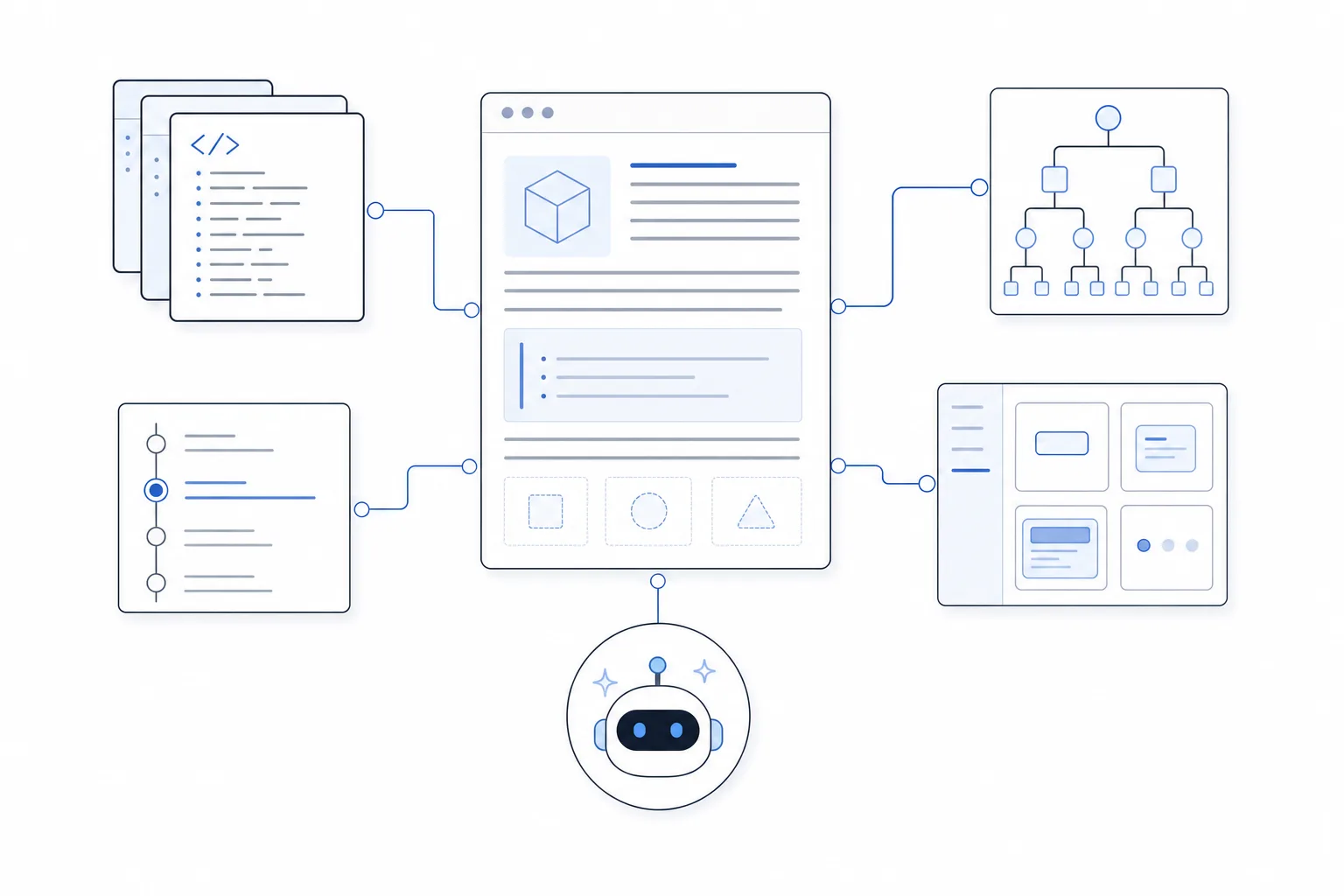
Documentation is most trustworthy when readers can see where it came from, which version it describes, and whether the underlying source has changed. That requirement has become more urgent as coding assistants, retrieval systems, and autonomous agents consume developer documentation alongside human engineers.
We use source aware documentation to describe a documentation system that preserves an explicit relationship between published guidance and its authoritative sources. Those sources might include component files, schemas, API definitions, examples, tests, release versions, design tokens, or policy records.
The result is more than a polished docs website. It is a living context layer that helps people and AI systems retrieve the right fact, inspect its origin, and detect when it may be stale.
Table of contents
- What is source aware documentation?
- Why conventional documentation loses trust
- The core characteristics
- A practical architecture
- How to build source aware documentation
- Applying the model to component libraries
- How it fits with other tools
- Governance, testing, and metrics
- Common mistakes
- Implementation checklist
What is source aware documentation?
Source aware documentation keeps each important documentation unit connected to the artifact that establishes its truth.
A reference page for a UI component, for example, should not rely only on manually written prose. It can be informed by the component export, runtime props, TypeScript types, events, slots, examples, tests, package version, and source path. An API page can carry similar relationships to an OpenAPI operation, schema definition, authentication policy, and release tag.
A useful source record might look like this:
{
  "docId": "forms/text-input",
  "symbol": "DomTextInput",
  "sourcePath": "src/pages/forms/text-input/DomTextInput.vue",
  "version": "2.4.0",
  "commit": "8f31c2a",
  "lastVerified": "2026-07-29",
  "derivedFields": ["props", "events", "slots"],
  "authoredFields": ["guidance", "examples", "accessibilityNotes"]
}
The exact shape will vary, but the principle is stable: a consumer should be able to distinguish generated facts, authored interpretation, and runtime evidence.
Source awareness is not a formal web standard, and it is not a single product feature. It is an architectural quality. A system can be source aware whether it publishes through a custom site, Storybook, Docusaurus, Mintlify, an internal portal, an MCP server, or an AI coding workflow.
Why conventional documentation loses trust
Most documentation failures begin with separation. Code changes in one repository, examples live somewhere else, reference tables are maintained by hand, and release notes describe behavior without updating the primary guide.
That separation creates predictable problems:
- Reference drift: Props, events, endpoints, or defaults change without a matching docs update.
- Version ambiguity: Readers cannot tell whether a page describes the installed package or the newest release.
- Orphaned examples: A snippet looks plausible but no longer compiles or follows the preferred pattern.
- Weak retrieval: Search finds a relevant paragraph but loses the component, version, or policy context around it.
- AI overconfidence: An assistant receives clean prose without freshness, authority, or applicability signals.
- Slow maintenance: Writers must rediscover facts that the source already knows.
Retrieval-augmented generation can ground a model in external knowledge, but retrieval quality depends on the knowledge base. If the indexed documentation is stale, duplicated, or stripped of provenance, the model can still produce a confidently wrong answer.
The following IBM explainer provides a concise introduction to retrieval-augmented generation and why external, attributable knowledge improves AI responses.
The core characteristics
A strong source aware documentation system has six characteristics.
1. Traceability
Every generated fact can be traced to a file, symbol, schema, test, database record, or approved policy. Traceability should work in both directions: from docs to source and from a changed source artifact to affected docs.
2. Freshness
The system records version, commit, modification time, or validation status. Freshness does not mean every page must update instantly. It means the system can identify what is current, what is version-bound, and what needs review.
3. Structured semantics
Important concepts are represented as fields rather than buried in prose. Component name, allowed prop values, event payloads, source URI, audience, priority, and version are easier for software to inspect than an unstructured paragraph.
4. Canonical examples
Examples are treated as executable teaching assets. They demonstrate the preferred API, composition, tokens, accessibility behavior, and error handling. They should be tested or rendered against the same implementation they document.
5. Multiple delivery views
Humans may need navigation, explanation, interactive previews, and visual hierarchy. AI tools often benefit from concise Markdown, structured manifests, stable identifiers, and direct access to authoritative resources. Both views should be derived from the same documentation model.
6. Validation
The system checks whether components exist, links resolve, examples compile, props match, versions align, and generated outputs follow documented constraints. Source awareness without validation can preserve a precise link to an incorrect source.
A practical architecture
A source aware pipeline usually moves through five stages:
- Authoritative sources: Code, schemas, types, tests, examples, design tokens, and policies.
- Inspection and extraction: Parsers, runtime inspection, static analysis, or build tooling derive structured facts.
- Documentation model: Generated facts are combined with authored explanations, examples, and decisions.
- Publishing and retrieval: The model produces human pages, search indexes, Markdown views, manifests, or MCP resources.
- Feedback and validation: Builds, tests, reviewers, and usage signals identify stale or weak documentation.

The most important architectural decision is to avoid treating the rendered website as the primary database. HTML is an output. The durable asset is the structured relationship among documentation, source, version, and evidence.
How to build source aware documentation
Step 1: Define authority for each fact type
Start by listing the facts your documentation publishes and deciding which system owns each one.
| Fact | Recommended authority |
|---|---|
| Component name and export | Source module |
| Prop type and default | Component definition or type system |
| API request shape | OpenAPI, GraphQL, or schema definition |
| Supported version | Package and release metadata |
| Preferred composition | Canonical example |
| Accessibility guidance | Reviewed authored documentation and tests |
| Business policy | Approved policy system |
| Migration advice | Versioned release documentation |
Do not generate every sentence. Source awareness works best when automation handles objective facts and people author judgment, rationale, constraints, and task guidance.
Step 2: Give sources stable identities
Use stable IDs for components, endpoints, examples, policies, and documentation sections. A display label can change without breaking retrieval or history.
For a component library, an ID such as forms/text-input is more durable than a sidebar label such as “Text Input.” For an API, an operation ID is safer than using only a URL path that may be reorganized.
Stable identities enable dependency graphs. If a prop changes, the build can identify the reference table, playground, recipe, and migration guide that depend on it.
Step 3: Extract structure close to the source
Inspect source artifacts during the documentation build. Depending on the stack, this may include:
- TypeScript types and JSDoc
- Vue or React component metadata
- Runtime prop definitions
- OpenAPI or JSON Schema
- GraphQL introspection
- Test fixtures
- Example imports
- Package and Git metadata
At DOM Studio, our component specification describes a shared contract where component discovery and inspection can support generated pages, navigation, Studio controls, and other consumers. This reduces the number of disconnected inventories a team must maintain.
Step 4: Keep examples beside the implementation
Examples should live close enough to the source that maintainers see them during ordinary development. They should import the real package surface and render the real component.
This turns examples into practical assertions. A broken import, renamed prop, or unsupported composition fails early rather than surviving as attractive but misleading prose.
For technical presentation, a component such as DomCodeBlock can display package-ready examples while preserving language, filename, theme, and preview behavior as explicit props.

Step 5: Add provenance and applicability metadata
Each documentation unit should answer several questions:
- What source supports this?
- Which product or package version does it apply to?
- Was it generated, authored, or verified at runtime?
- When was it last checked?
- Who is the intended audience?
- Is it required context or optional detail?
- What supersedes it?
This metadata does not all need to appear visually. It can support badges, search filters, AI retrieval, build reports, and review queues.
Step 6: Publish concise machine-readable entry points
The /llms.txt proposal, published in September 2024, recommends a concise Markdown file that gives language models orientation and links to important resources. It is useful as an entry point, but it should be treated as a map rather than the full source of truth.
A practical AI-facing layer can include:
- A short project summary
- Canonical component or API names
- Preferred patterns and prohibited shortcuts
- Links to authoritative Markdown references
- Version and package information
- Instructions for choosing examples
- A separate full context file when appropriate
Our AI guidance for DOM Studio follows this philosophy by emphasizing a compact vocabulary, canonical examples, semantic tokens, component props, and clear rules for when visually editable specs are appropriate.
Step 7: Deliver contextual instructions at the right scope
One giant instructions file is rarely sufficient. Repository-wide guidance should contain stable project rules, while narrower files can describe path-specific conventions.
GitHub Copilot supports repository-wide instructions, path-specific instruction files, and agent instruction files. This illustrates an important source aware principle: context should be selected according to the artifact and task, not attached indiscriminately to every request.
Step 8: Expose resources through retrieval interfaces
Machine-readable files are one delivery method. Retrieval APIs and MCP resources provide another.
The Model Context Protocol defines resources with unique URIs and metadata such as name, description, MIME type, audience, priority, and modification time. A documentation platform can use a similar resource model to expose component references, schemas, examples, or versioned guides without flattening them into one enormous prompt.
Step 9: Test the documentation contract
Add checks to continuous integration for:
- Unknown component or symbol references
- Invalid prop names and option values
- Broken source paths
- Examples that fail to compile or render
- Missing version metadata
- Duplicate stable IDs
- Stale generated output
- Unresolved internal links
- Accessibility regressions in interactive examples
- AI answers that omit sources or use unsupported APIs
For AI-facing documentation, maintain evaluation cases based on real failures. Our AI prompt lab block demonstrates a review surface for prompts, realistic test cases, expected assertions, safety checks, cost signals, and release readiness.
Applying the model to component libraries
Component libraries are especially well suited to source aware documentation because much of their reference material already exists in structured form.
A component folder can act as the smallest complete documentation unit:
src/pages/forms/text-input/
  DomTextInput.vue
  Index.vue
  examples/
    Basic.vue
    Validation.vue
The component supplies props and runtime behavior. Lightweight metadata supplies human labels, events, slots, navigation hints, and editor settings. Examples demonstrate preferred composition. A custom page is added only when generated reference documentation is not enough.
This approach creates one contract for several consumers:
- Documentation pages
- Navigation and search
- Interactive playgrounds
- Visual editors
- Component databases
- AI context manifests
- Validation tools
At DOM Studio, we prefer composition over invention for AI-built interfaces. A small, reliable vocabulary of accessible primitives, visual surfaces, and complete blocks gives both humans and models safer choices than arbitrary markup. Source aware documentation makes that vocabulary discoverable and checkable.
How it fits with other tools
Source awareness complements existing documentation and AI tools rather than replacing them.
- Storybook Autodocs can derive component documentation from stories and metadata. It is a strong presentation and interaction layer for UI systems.
- Docusaurus provides a flexible publishing layer, including documentation versioning for projects that need preserved release-specific content.
- Mintlify can publish AI-oriented files such as
llms.txtandllms-full.txtalongside human documentation. - GitHub Copilot and similar coding assistants can consume repository and path-specific guidance, but the quality of those instructions still depends on accurate project sources.
- MCP servers can expose documentation as discoverable resources with URIs and metadata.
- RAG frameworks can retrieve relevant passages, but they need clean chunk boundaries, provenance, version filters, and authoritative content.
The differentiator is not which renderer or assistant you choose. It is whether your documentation model retains enough source context to support trust, maintenance, and validation across those tools.
Governance, testing, and metrics
A source aware system still needs ownership. Automation can reveal drift, but a team must decide how quickly to fix it and who approves subjective guidance.
Define owners for component reference, API behavior, accessibility guidance, release documentation, and AI instructions. Then measure whether the system improves outcomes.
Useful metrics include:
- Percentage of reference fields generated from authoritative sources
- Percentage of examples compiled or rendered in CI
- Median time between a source change and docs validation
- Number of stale or version-ambiguous pages
- Search success rate for common developer tasks
- AI answer citation or source-link rate
- Unsupported API usage in generated code
- Documentation-related support tickets
- Review time for generated changes
Avoid optimizing only for page count or word count. A smaller, well-linked, current documentation set is often more useful than a large archive of disconnected prose.
Common mistakes
Treating llms.txt as a complete solution
A manifest can improve discovery, but it does not automatically make the linked pages current, structured, or correct.
Generating prose from code without review
Code can reveal signatures and defaults. It rarely explains why a pattern exists, when not to use it, or how it affects users.
Removing version context during indexing
Chunking documentation without product, package, version, and section metadata can cause retrieval to mix incompatible guidance.
Duplicating canonical examples
Copying the same snippet into several pages creates several maintenance targets. Prefer a shared example artifact that can be rendered in multiple contexts.
Hiding provenance from users
Not every reader needs a commit hash, but they should be able to find version, source, and verification information when accuracy matters.
Sending every document to every AI request
More context is not always better. Use scoped instructions, retrieval, priority, and audience metadata to select the smallest sufficient context.
Implementation checklist
Use this checklist to begin:
- [ ] Inventory documentation fact types and assign an authority to each one.
- [ ] Create stable IDs for components, endpoints, examples, and policies.
- [ ] Extract types, props, events, schemas, versions, and source paths automatically.
- [ ] Keep canonical examples close to the implementation.
- [ ] Record version, commit, freshness, audience, and verification metadata.
- [ ] Generate human reference pages from the structured model.
- [ ] Publish concise AI entry points and machine-readable resources.
- [ ] Preserve metadata in search and embedding indexes.
- [ ] Add CI checks for drift, broken examples, invalid references, and stale output.
- [ ] Evaluate AI answers against real developer questions and known failure cases.
- [ ] Give subjective guidance a named human owner.
- [ ] Track whether source awareness reduces support load and incorrect implementations.
Build documentation that can explain itself
Source aware documentation gives every important claim a place in the system: a source, an identity, a version, an audience, and a validation path. That makes the documentation easier to maintain, easier to retrieve, and safer for AI-assisted development.
If you are building Vue interfaces, a design system, or an AI-assisted application workflow, explore DOM Studio’s component metadata, canonical examples, editable primitives, and application blocks. Start with one component family, connect its docs to source, and expand the contract as the workflow proves useful.