
LLM-ready documentation is documentation that helps an AI assistant or coding agent find the right answer, choose approved building blocks, and produce an output your team can verify. It is not a single file or an SEO shortcut. It is a documentation system with clear concepts, stable names, complete examples, explicit constraints, and a testing loop.
For product teams, the immediate goal is simple: make the preferred implementation the easiest path for both people and AI. In this guide, we will turn an ordinary product or developer documentation set into a practical LLM-ready documentation workflow.
At DOM Studio, we apply this principle to UI generation: a compact vocabulary of accessible primitives, visual components, and complete application blocks gives an AI fewer opportunities to invent brittle markup. Our AI guidance shows how canonical examples, semantic tokens, component props, and checkable failure states work together.
Table of contents
-
5. Add a concise AI-facing entry point, but treat it as an index
-
6. Document constraints, decision rules, and verification checks
-
7. Test documentation with the prompts and agents people actually use
-
The completed outcome: documentation an AI can use responsibly
Before you start: define the source of truth
Prepare these inputs before changing your documentation:
-
A version-controlled documentation repository or CMS with clear ownership.
-
A current list of products, APIs, components, commands, and supported versions.
-
At least five real user or agent tasks, such as “add a date picker,” “authenticate a request,” or “build an account settings form.”
-
A way to run examples, lint code, validate schemas, or otherwise test generated output.
-
A named reviewer who can resolve ambiguity when product behavior changes.
Also decide what an AI must not infer. For example, it should not invent unavailable props, use deprecated endpoints, bypass authentication rules, or recreate accessibility behavior that an established component already provides.
Your finished system should let a developer or agent move from a task to an approved reference, a runnable example, and a clear verification check without guessing.
1. Define the tasks your documentation must enable
Start with jobs, not pages. A page can be well written and still fail an agent if it does not answer a specific implementation question.
Create a short task inventory. For each task, record:
-
User intent: what is being built or changed?
-
Required inputs: version, framework, account permissions, API keys, data shape, or design constraints.
-
Approved path: the components, endpoints, commands, or patterns to use.
-
Expected output: what should compile, render, return, or change?
-
Failure conditions: what common mistakes must be caught?
For a Vue UI library, a task could look like this:
Task: Build an account settings form
Use: DomCard, DomTextInput, approved theme tokens
Do not: recreate input labels or validation behavior with custom markup
Expected result: keyboard-accessible form with labelled fields
Verify: run the example, test focus order, inspect mobile width
Expected result: every high-value request has a documented success path and a way to reject an unsafe one.
Troubleshooting: if the same task has three equally plausible answers, your docs are describing features without expressing a preferred pattern. Choose a default, explain the exception, and move alternative approaches into a clearly labelled advanced section.
2. Give every concept a stable name and a predictable home
AI systems work more reliably when terminology is consistent. Pick one canonical name for every public concept and use it everywhere: navigation, headings, API references, examples, error messages, release notes, and code.
A durable information architecture usually separates:
-
Concepts: why and when to use something.
-
References: exact props, parameters, events, defaults, types, limits, and version notes.
-
How-to guides: the shortest tested path for a real task.
-
Examples: complete, copyable implementations.
-
Policies and constraints: security, permissions, accessibility, lifecycle, and deprecation rules.
Avoid scattering critical rules across release notes, old blog posts, issue threads, and hidden tooltips. Link to a single current authority, then make earlier pages point there.
For component systems, keep documentation close to the component when possible. DOM Studio uses component metadata, props, events, docs, and examples together so developer-facing utilities such as code blocks and JSON viewers can be discovered in a predictable place. See the developer presentation components reference for a practical boundary between presentation utilities and server-backed workflows.

Expected result: a search for an exact concept returns one obvious primary reference.
Troubleshooting: if a component has several names, create an alias map for migration, but keep one name in examples and machine-readable reference data. Do not force the model to decide whether synonyms mean different things.
3. Turn references into compact, structured contracts
Narrative explanation matters, but an LLM also needs precise operational facts. Every public object should have a compact contract that can be read independently of a long marketing or conceptual page.
Use a consistent shape such as:
## DomToastStack

Purpose: Displays queued toast notifications.

Use when: The app needs non-blocking status feedback.
Avoid when: The user must make a decision before continuing.

Inputs:
- placement: top-right | top-left | bottom-right | bottom-left
- duration: number in milliseconds, default 5000

Events:
- dismiss: { id: string, reason: 'timeout' | 'action' | 'manual' }

Rules:
- Use semantic theme tokens.
- Do not use a toast for destructive confirmation.

Minimal example:
[complete working example]
The exact format can be Markdown front matter, JSON Schema, OpenAPI, typed component metadata, or a generated reference page. What matters is that it contains the details an agent needs to select the object correctly: accepted values, defaults, event payloads, lifecycle constraints, and prohibitions.
For APIs, OpenAPI remains useful. For UI systems, typed props and events are the equivalent contract. For content workflows, define the document states, allowed transitions, reviewer permissions, and audit fields.
Expected result: an agent can answer “what can I pass?” and “what should I avoid?” from one small, authoritative section.
Troubleshooting: do not publish a parameter list without semantics. mode: string is technically documented but operationally weak. State the allowed options, default behavior, and a concrete outcome for each option.
4. Make canonical examples complete and runnable
Examples are the most important teaching material in LLM-ready documentation because they show the preferred composition in context. A partial snippet that omits imports, setup, data shape, or cleanup steps invites the agent to fill gaps with assumptions.
For every important task, publish one minimal example that works and one realistic example that shows composition. Each should include:
-
Imports and version prerequisites.
-
The smallest valid setup.
-
Required configuration or environment variables, with safe placeholders.
-
Expected visual or API result.
-
A verification command, test, or checklist.
-
An explanation of the one or two choices most likely to be copied incorrectly.
For DOM Studio, this means showing named components, supported props, semantic tokens, and blocks as the normal route before custom markup. When a full workflow is needed, a reusable block can provide a safer starting point than an agent recreating a dashboard, chat view, form, or review interface from scratch. Browse the reusable application blocks for examples of this approach.
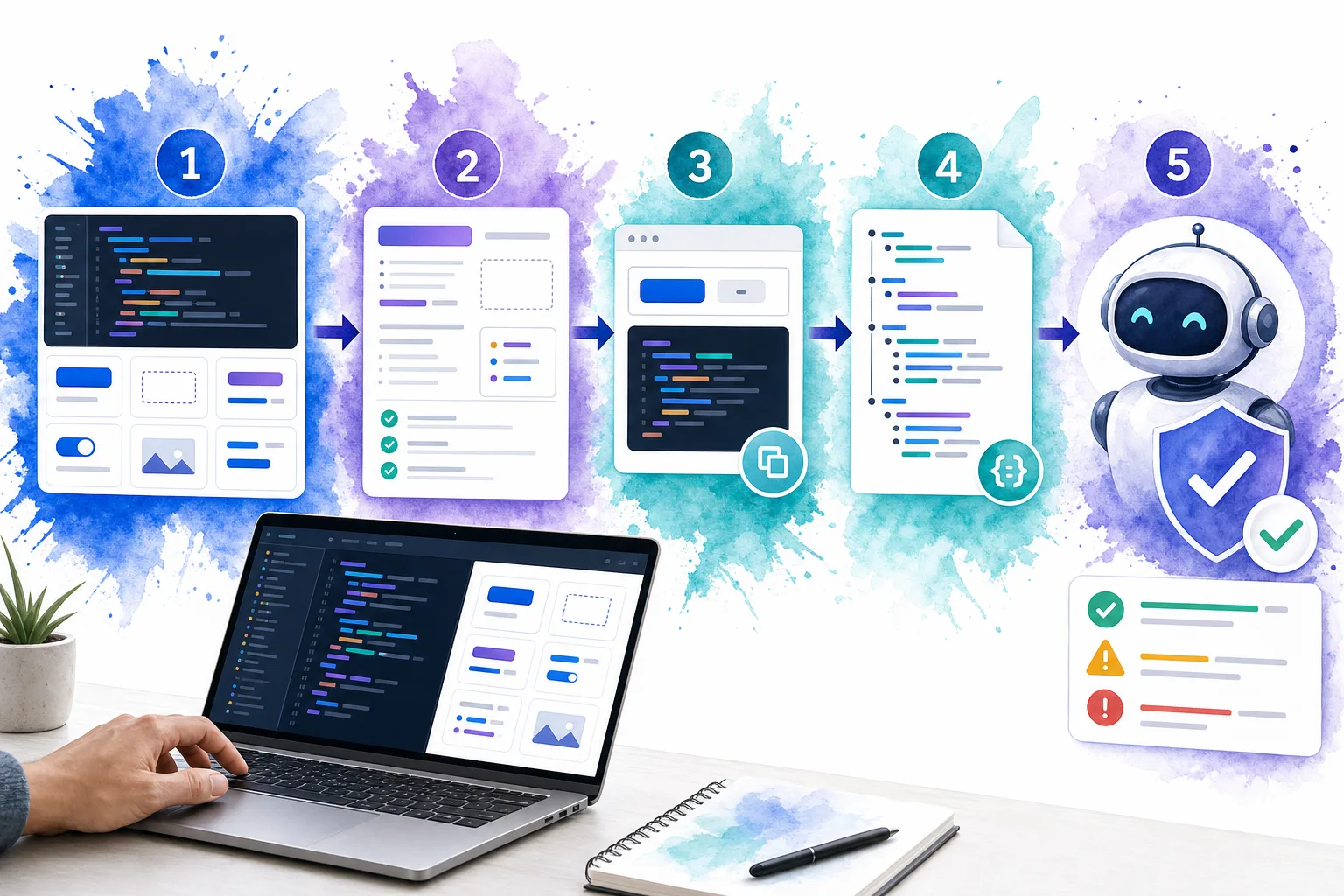
Expected result: a reader can paste the example into a known environment, run it, and observe the documented result.
Troubleshooting: if a generated implementation repeatedly misses setup steps, your example is too fragmentary. Add the omitted import, fixture, route, or configuration to the example instead of trying to patch the problem with longer prompt instructions.
5. Add a concise AI-facing entry point, but treat it as an index
A short AI-facing document can help agents orient themselves quickly. The emerging /llms.txt proposal uses Markdown at a site root to present a concise overview and links to the most relevant resources. It is useful as a curated map, but it is not a permission control, a replacement for crawlable pages, or a guaranteed ranking mechanism.
Keep this file short. Its job is to direct an agent to authoritative pages, not to duplicate your whole documentation portal.
# Acme UI System

> Editable UI primitives and application blocks for Vue teams.

## Start here
- [Installation](https://example.com/docs/install): Set up the package and theme.
- [Components](https://example.com/docs/components): Props, events, and working examples.
- [Blocks](https://example.com/docs/blocks): Complete application patterns.

## Rules
- Prefer documented components before custom markup.
- Use approved design tokens, not raw colors.
- Verify examples with the project test command.
The durable work is still in the linked pages. Keep them public when appropriate, crawlable, fast, clearly structured, and useful to human readers. Search systems that use generative features continue to rely on foundational content quality and technical accessibility, rather than a special AI-only markup trick.
Expected result: an agent receives a focused starting point and can follow links to the detailed source of truth.
Troubleshooting: if your entry point becomes a long, unstructured dump of every URL, it has become another navigation page. Remove low-value links and group only the documents that support real tasks.
6. Document constraints, decision rules, and verification checks
Helpful documentation tells an agent what to do. LLM-ready documentation also tells it how to know whether it succeeded.
Add explicit checks at the task level:
-
Schema checks: required fields, accepted enum values, type limits, and illegal combinations.
-
Build checks: compilation, type checking, linting, dependency validation, and link checking.
-
Runtime checks: test fixtures, expected responses, permissions, retries, and error handling.
-
UI checks: responsive width, focus order, keyboard behavior, contrast, empty states, and overflow.
-
Governance checks: human approval, audit trails, versioning, and publication gates for sensitive changes.
Use an explicit decision record for risky or reviewed content. An AI-assisted document review surface should preserve the source text, the proposed change, rationale, confidence, reviewer decision, and a traceable event history. DOM Studio’s AI document review block demonstrates a human-in-the-loop pattern where suggestions are accepted or dismissed rather than silently applied.
Expected result: your team can test the output instead of judging it by whether it sounds plausible.
Troubleshooting: do not let a UI readiness badge replace server-side enforcement. Client-side indicators are useful guidance, but permission checks, approval requirements, and publication gates must be enforced in the systems that own those decisions.
7. Test documentation with the prompts and agents people actually use
Treat documentation as a product surface. Build a small evaluation set from support tickets, onboarding questions, failed code-generation attempts, and the tasks defined in Step 1.
For each evaluation, capture:
-
The prompt or task.
-
The documentation pages or context supplied.
-
The generated answer or implementation.
-
Whether it selected approved concepts.
-
Whether it compiled, rendered, or passed the relevant test.
-
The exact failure and the documentation change that resolved it.
Run the set whenever you change naming, navigation, references, examples, or major versions. You do not need a complex evaluation platform to begin. A versioned folder containing prompts, expected decisions, and automated checks is enough to expose regressions.
A useful pass criterion is not “the answer sounds good.” It is “the answer chose the approved object, used only valid inputs, followed constraints, and passed the verification step.”
Expected result: you can measure whether documentation improvements make human and agent outcomes more reliable.
Troubleshooting: if failures are inconsistent, isolate the variable. Test the same task against a single reference page, then add examples, constraints, or index context one at a time. This identifies whether the issue is retrieval, ambiguity, missing facts, or an invalid expectation.
8. Maintain documentation as part of the release process
LLM readiness degrades when examples, references, and product behavior drift apart. Make documentation updates a release requirement, not a cleanup task.
We recommend adding these checks to your workflow:
-
Block releases when public API or component changes lack updated reference data.
-
Execute every canonical example in CI where feasible.
-
Flag references that mention removed versions, props, endpoints, or screenshots.
-
Review AI-facing index files whenever navigation or product positioning changes.
-
Feed confirmed agent failures back into the relevant guide, reference, or test case.
This approach works whether you publish with VitePress, Docusaurus, an API portal, a product knowledge base, or a custom documentation stack. The tooling changes, but the operating model remains the same: one source of truth, clear retrieval paths, canonical examples, explicit constraints, and repeatable verification.
The completed outcome: documentation an AI can use responsibly
When you complete these steps, your documentation will do more than explain a product. It will guide an AI toward approved decisions and make unsafe or incorrect outputs easier to catch.
Start with one high-volume workflow this week. Create its compact contract, publish a complete runnable example, add three explicit verification checks, and run it against five real prompts. Once that path is reliable, extend the same pattern across your product surface.
For teams building editable, AI-assisted application interfaces, DOM Studio provides a practical foundation: inspectable components, semantic tokens, complete blocks, and patterns that keep human review in the loop.