
You’re reviewing a feature that should be ready to ship. The save button looks different from the one in account settings, the dialog loses keyboard focus, and nobody can tell whether the designer’s latest file matches the code. Each issue looks small until your team has to resolve them together.
Table of Contents
- The Moment a UI Starts to Drift
- What a Digital Design System Actually Is
- The Core Components Every System Needs
- Accessibility Is Necessary but Not Sufficient
- Theming Without Forking the System
- Making the System AI-Ready
- Adopting or Migrating to a System Step by Step
- Governance, Tooling, and Your Next Move
The Moment a UI Starts to Drift
Consider a familiar release review. A developer copied a button from an older screen because it already handled loading. A designer adjusted the spacing in a newer file. Someone else built a dialog locally because the shared version didn’t support their layout.
Nobody made an unreasonable decision. Yet the team now has competing answers to the same questions: what should this control look like, how should it behave, and who owns the fix?
That’s UI drift. It’s not just a branding problem. When teams maintain separate implementations, they also maintain separate keyboard interactions, error states, dependencies, and assumptions about content. Improving design consistency means addressing those decisions, not making screenshots match.
Recognise the maintenance problem
The drift becomes visible across the workspace, from design files to production components.
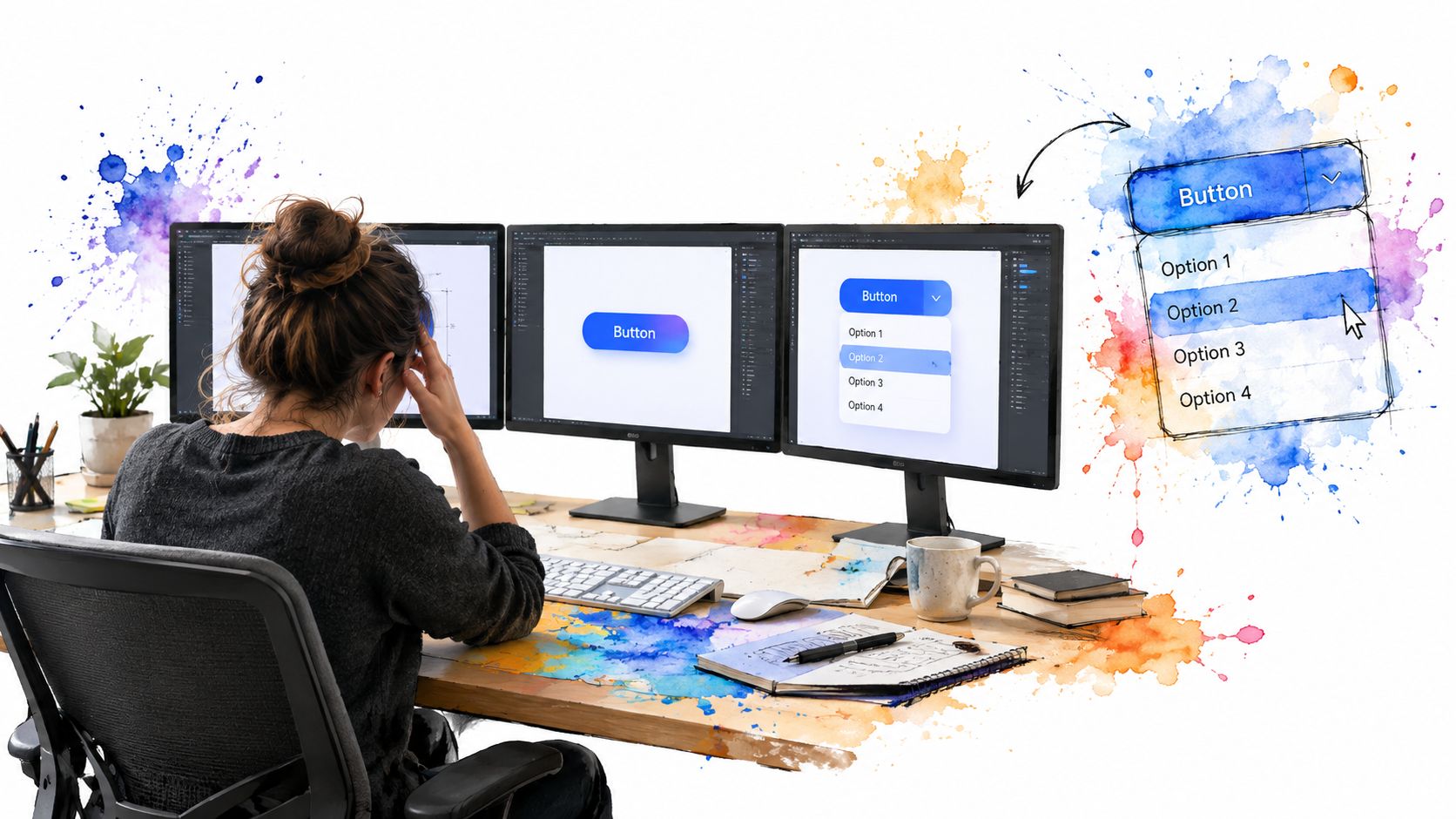
A useful audit asks what people are repeatedly deciding:
- Appearance: Are developers choosing colours and spacing locally because shared values are missing?
- Behaviour: Does every team implement its own dismissal, validation, and keyboard handling?
- Responsibility: When a shared control breaks, is there an obvious owner and release path?
Digital design systems provide a structured response: shared foundations, reusable implementations, interaction guidance, and rules for changing them. Their purpose isn’t to eliminate product decisions. It’s to stop teams spending their attention on decisions that should already be settled.
Treat the shared UI as a maintained product, not a folder you tidy before a launch.
That distinction changes the work. Instead of commissioning a library and declaring it finished, you assign ownership, investigate missing capabilities, and support consuming teams. You also accept a candid trade-off: central changes require review because their consequences reach beyond the screen that prompted them.
The starting point isn’t an enormous catalogue. It’s an agreement about which decisions your team should share.
What a Digital Design System Actually Is
A digital design system is a maintained set of design decisions, interface building blocks, usage guidance, and working code. Governance connects those parts so people know which implementation to trust and how to improve it.
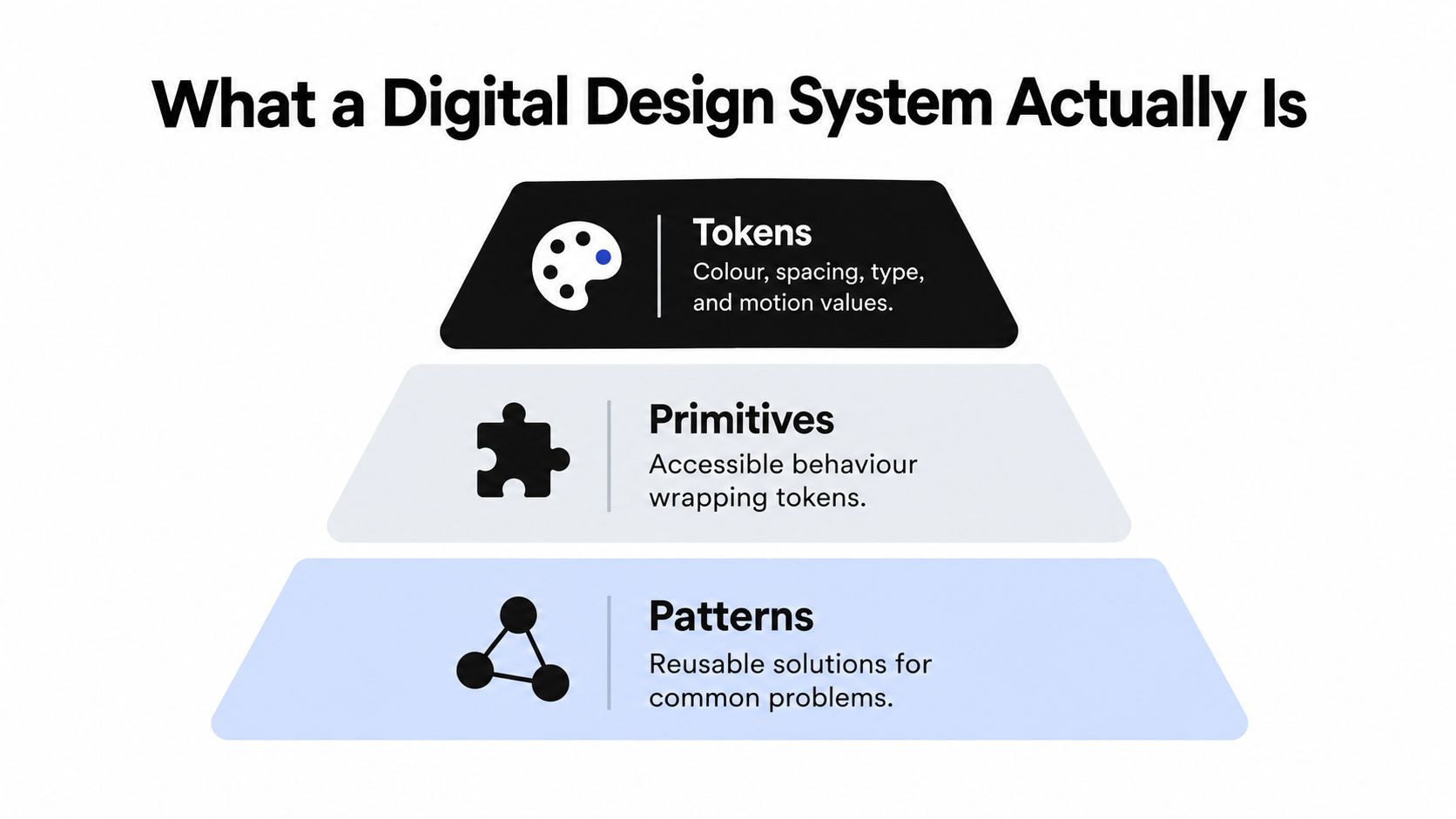
A house provides a useful analogy. Tokens are foundational decisions about materials and dimensions. Primitives are basic structural elements, such as windows with defined opening behaviour. Patterns are arrangements that make a room usable. Documentation is the maintenance manual, while governance determines who can approve structural changes.
The layers are easier to understand when you separate values, behaviour, and composition.
Distinguish the system from its artefacts
People often use related terms interchangeably. That creates mismatched expectations, especially when someone assumes a design file already solves implementation.
| Artefact | What it provides | What it doesn’t establish alone |
|---|---|---|
| UI kit | Reusable assets in a design tool | Production behaviour |
| Style guide | Visual and editorial rules | Executable components |
| Component library | Reusable coded elements | Product-level usage decisions |
| Design system | Connected assets, code, guidance, and ownership | A substitute for product research |
The distinction matters during procurement and planning. Buying components may save implementation work, but your team still needs to decide how those components support its users, content, and release process.
Look beyond the visual library
The UK public-sector example illustrates that broader scope. The first Digital by Default Service Standard appeared in March 2013 and became mandatory for large government services in April 2014, connecting user-centred design with accessibility, performance, and service quality, as described in the government’s account of the Service Standard’s development.
The important lesson isn’t to copy government styling. It’s to recognise that shared interface work sits inside a service-quality framework. A beautiful control library won’t resolve unclear ownership or a confusing user journey.
Think of the system as an agreement made executable. Designers can express it, developers can implement it, and reviewers can check whether a product follows it.
The Core Components Every System Needs
Start with a form submission. The button needs a visual treatment, an implementation, guidance about its place in the form, and an explanation of what happens while the request is processing. Leaving any of those undecided pushes work back onto the product team.
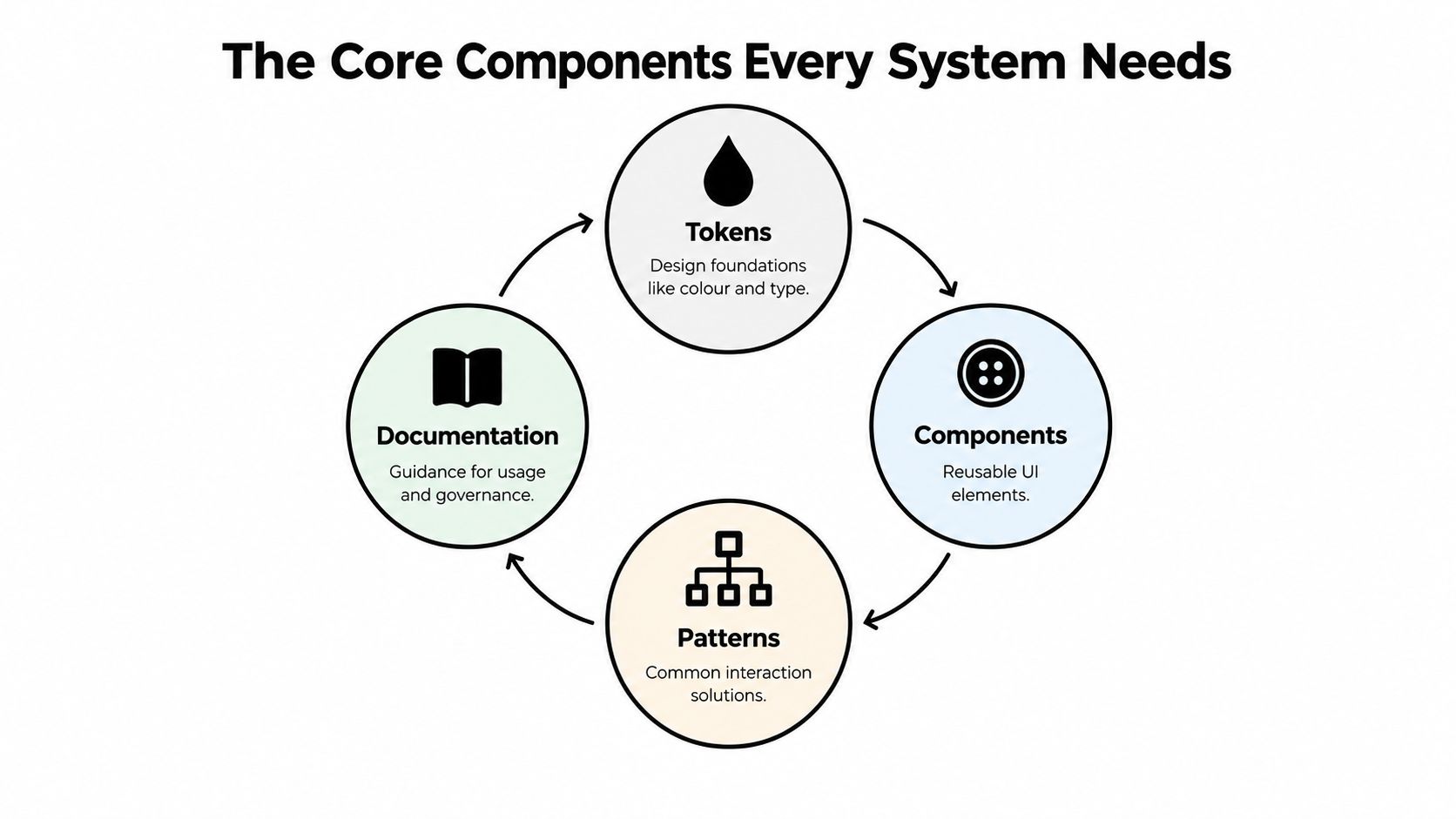
The core parts connect rather than operate as separate inventories.
Specify contracts rather than screenshots
Tokens should encode decisions such as text colour, spacing, and motion preference. A component contract describes supported props, events, states, and responsibilities. For a button, that might include size, visual emphasis, loading behaviour, and whether activation remains available while work is pending.
A primitive is usually a lower-level building block with limited product styling. A finished component can wrap that primitive with approved appearance and defaults. Teams should define these terms locally rather than argue about a universal boundary.
- Patterns answer situational questions. A searchable selection pattern might combine an input, popup, listbox behaviour, and appropriate status messaging.
- Documentation explains judgement. Describe when a menu is appropriate, when a select is simpler, and when autocomplete would create unnecessary complexity.
- Decision records preserve reasoning. During workshops, Walling’s AI-assisted note capture is an option to consider for collecting discussion notes. Review those notes before converting them into approved guidance.
Build a usable surface
A catalogue might cover buttons, menus, listboxes, dropdowns, dialogs, drawers, tabs, toggles, tooltips, accordions, comboboxes, autocompletes, toasts, and a command palette. Catalogue breadth alone doesn’t establish whether those elements work together.
Include complete examples: a failed submission, a destructive confirmation, or a search with no results. Those examples expose gaps that isolated component previews can hide.
For a supplementary visual walkthrough, use the embedded video alongside the contracts and examples.
Reuse at scale also requires distribution. By March 2022, the GOV.UK Design System’s code had been reused more than 3,300 times, while GOV.UK Frontend had received over 2.7 million downloads, according to the Government Digital Service’s design-system update. Treat that as evidence of shared infrastructure being used, not as proof that package downloads alone measure product quality.
Accessibility Is Necessary but Not Sufficient
An accessible dialog primitive can still appear inside an inaccessible journey. Its focus handling might work correctly while its title is unclear, its trigger has no useful name, or the surrounding page makes the next action impossible to understand.
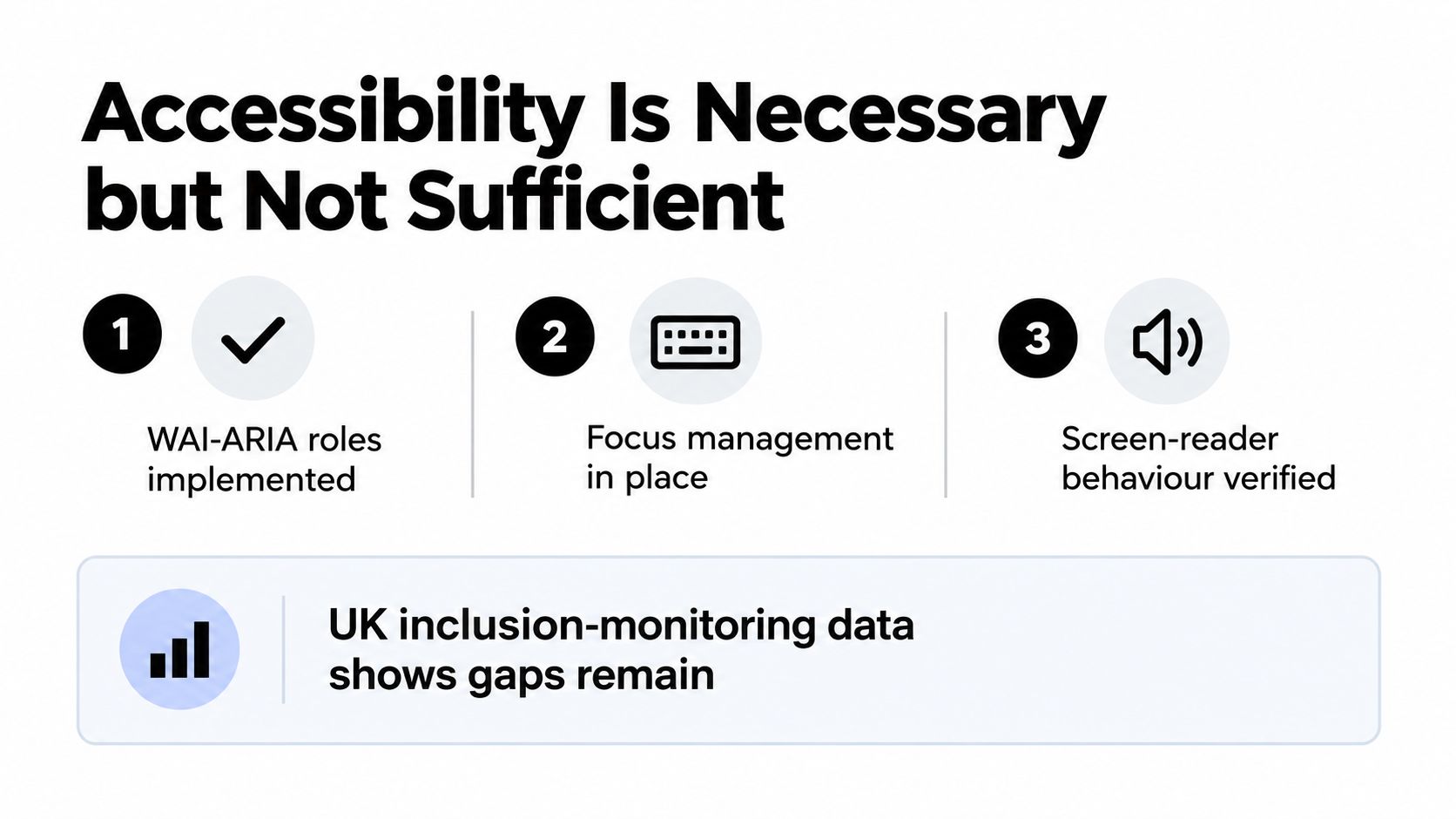
Component accessibility is a baseline, not a product-level guarantee. Prefer native HTML semantics where they fit, then implement the roles, states, and keyboard interactions required by more complex controls. Adding ARIA attributes without verifying behaviour isn’t a substitute for testing.
The distinction is between the behaviour a library supplies and the experience a team assembles.
Test the assembled experience
The GOV.UK Design System’s accessibility strategy identifies the scale of the responsibility: at least 1 in 5 people in the UK report having a disability, and shared components support hundreds of government services receiving millions of monthly views.
The UK inclusion-monitoring report for 2026 reports that 75% of surveyed organisations met WCAG 2.0 AA or higher, while 11% didn’t know whether their service met the guidelines. These are organisation-level findings, not an audit of any particular component library.
Practical rule: Test the flow with the content and overrides you intend to ship, not just the component in its demonstration environment.
A useful validation strategy includes:
- Composition fixtures: Build representative pages containing nested overlays, form errors, long labels, and asynchronous updates.
- Markup assertions: Check that slots and generated content preserve required names, relationships, and valid structure.
- Manual interaction checks: Follow focus through the journey and verify meaningful announcements with assistive technology.
- Failure examples: Show what breaks when a label disappears, an override obscures focus, or essential help exists only in a tooltip.
Keep the division of responsibility explicit. Library maintainers own the documented behavioural contract. Product teams own the surrounding content, heading structure, link purpose, and task flow.
Neither group can verify the whole experience alone. Accessibility reviews should give both groups a route to report failures and agree where the correction belongs.
Theming Without Forking the System
A brand refresh shouldn’t require copying your dialog implementation. If changing a surface colour also means duplicating focus-management code, your architecture has coupled appearance to behaviour too tightly.
Semantic tokens separate intent from a particular value. A component can reference surface-dialog, text-primary, and border-interactive rather than embed palette choices throughout its styles. Theme definitions then supply the values for each supported context.
Choose where values should resolve
Use CSS custom properties for values that need to change at runtime. Build-time tokens remain useful when generating fixed assets or platform-specific outputs. Neither approach removes the need to review the resulting combinations.
| Decision | Useful approach | Trade-off |
|---|---|---|
| Runtime brand switching | CSS custom properties | Inspect inheritance and scope carefully |
| Fixed platform outputs | Build-time token generation | Regenerate outputs when values change |
| Dark mode | Semantic theme mappings | Review complete colour pairings |
| Compact layouts | A separate density axis | Protect readability and target usability |
In a Tailwind-based setup, I’d map approved utilities to the semantic layer rather than encourage arbitrary values across product code. Keep the theme source organised so brand, colour mode, and density can vary independently. Otherwise, each new combination becomes another stylesheet to maintain.
For teams working through those decisions, theme customisation guidance provides a useful place to frame the implementation discussion.
Keep framework integration thin
For a Vue application, consider a thin integration layer over framework-agnostic headless primitives. Give that layer responsibility for reactive props, v-model, and slots, while keeping the underlying interaction logic separate.
Review the integration boundary carefully. A wrapper that alters events or filters necessary attributes can introduce bugs even when the primitive behaves correctly.
Treat Visual Blocks or similar composed sections as an extension layer, not a reason to enlarge every core import. Keep blocks independently importable, inspect their dependencies, and measure production output rather than infer bundle cost from the catalogue.
The candid trade-off is flexibility versus support burden. Every theme and override creates another configuration your team may need to verify. Publish supported combinations and an exception process instead of promising that any styling change will remain safe.
Making the System AI-Ready
AI-ready should mean that generated code remains understandable, inspectable, and editable after the first draft. An AI assistant needs the same concrete context a new developer needs: supported components, current APIs, examples, and constraints.
Compare a prompt asking for a settings page with a specification naming approved form controls, save behaviour, validation rules, and layout patterns. The latter gives a reviewer something objective to check, even if the generated result still needs substantial correction.
Publish usable context
Keep guidance close to implementation, and make the relevant version clear.
- Embedded component docs: Describe props, events, slots, dependencies, and unsupported combinations beside the source.
- Inspector hints: Help a developer identify the component and variant responsible for a rendered element.
- Studio specifications: Describe intended structure and editable properties in a consistent format.
- Example compositions: Include realistic content, pending states, and recovery paths rather than only polished defaults.
Don’t assume documentation guarantees compliance. A generator can still invent a prop, misuse a slot, or bypass an approved pattern. Compile, test, and review its output using the same standards as other contributions.
Preserve an understandable editing boundary
Standards-based custom elements are an architectural option for separating behaviour from a framework-specific interface. If you use Vue wrappers above them, expose the mapping clearly so reviewers can trace a generated binding to its underlying behaviour.
Avoid opaque generated abstractions that require another generation pass for every correction. Developers should be able to change a label, event handler, or layout directly without reverse-engineering the output.
Support conversations can also inform examples. If you’re evaluating how an AI customer support hub from SignalZen fits your workflow, keep customer-service knowledge distinct from authoritative component documentation. Any journey derived from support material still needs review for privacy, accuracy, and suitability.
A system an AI can scaffold from provides contracts and examples. A system it can only guess at provides names and screenshots.
The practical connection between AI and UX is therefore a reviewable workflow, not an unattended handoff. Require generated contributions to identify the pattern they follow and make deviations visible.
Adopting or Migrating to a System Step by Step
Don’t begin by replacing every component. Begin with a user journey whose boundaries are clear enough to test, then use what you learn to shape the migration.
A quarter can be a useful planning window, but it shouldn’t become a promise to finish regardless of risk. Sequence work by evidence of readiness rather than by how complete the catalogue looks.
Use weekly checkpoints
In the opening week, inventory the chosen journey. Record local components, styling overrides, behavioural differences, and known defects. Establish a baseline using the same checks you’ll run after migration.
During the following weeks, move from preparation to a controlled release:
- Prepare the foundations: Map existing design decisions to the proposed system and identify unsupported requirements before changing screens.
- Migrate a bounded slice: Replace a coherent part of the flow rather than scattering new controls throughout unrelated pages.
- Compare implementations: Run visual regression checks and behavioural tests against the existing experience, including narrow layouts and unusual content.
- Release deliberately: Review defects and support feedback before expanding into adjacent journeys.
You don’t need to preserve every legacy quirk. Separate intentional product behaviour from accidental inconsistency so reviewers know which differences are acceptable.
Bridge old and new carefully
A temporary adapter can translate a legacy component API into the new contract. That lets teams migrate callers gradually, but the adapter needs an owner and an explicit removal condition.
Parallel implementations are useful for comparison, not as a permanent operating model. Retire duplicates when the replacement has demonstrated the required behaviour, and remove obsolete examples so developers don’t keep copying them.
| Checkpoint | Slow down when | Expand when |
|---|---|---|
| Behaviour | Keyboard or submission paths differ unexpectedly | Required interactions are verified |
| Coverage | Teams repeatedly need escape hatches | Common requirements fit supported APIs |
| Maintenance | Ownership or upgrade instructions are unclear | Teams can upgrade without private guidance |
Publish versioned releases, contribution instructions, and deprecation guidance before adoption spreads. Keep a canonical location for each decision so design files, documentation, and code don’t become competing authorities.
Migration isn’t complete when imports change. It’s complete when the team can maintain the new implementation without relying on the people who performed the migration.
Governance, Tooling, and Your Next Move
Your next decision probably isn’t which component to add. It’s which promises your team can maintain: supported themes, stable contracts, tested journeys, and a clear response when something breaks.
Governance makes those promises actionable. Name the people who approve changes, define what evidence a contribution requires, and give product teams a route to challenge a rule that doesn’t fit their users.
Make Monday’s decisions concrete
Use a working checklist rather than a maturity score:
- Agree the initial token scope: Cover text, surfaces, interactive states, spacing, typography, and motion before introducing specialised aliases.
- Prioritise behavioural risk: Harden form controls and overlays before spending the same effort on decorative variations.
- Define release evidence: Require relevant tests, updated examples, migration notes, and a named reviewer.
- Connect checks to CI: Run component tests, composition assertions, and visual comparisons, while retaining manual accessibility review.
- Track actual consumption: Combine package-download trends with component usage and defect reports. Downloads alone don’t show whether teams use the system correctly.
Keep tooling proportional to the work. A component explorer can make states discoverable, a token pipeline can synchronise outputs, and repository checks can catch unsupported imports. None replaces someone deciding whether the pattern solves the user’s problem.
Keep provenance separate from interface quality
AI-assisted contributions add another review question: what generated or influenced this implementation? For teams considering that record, the Agntz AIBOM guide is a relevant resource to evaluate alongside dependency and contribution policies.
A provenance record doesn’t establish usability or accessibility. Keep those acceptance decisions tied to the interface and its tested behaviour.
Choose an owner, a bounded pilot journey, and a release checklist before expanding the catalogue. Whether you adopt a library or build internally, the useful outcome is the same: developers can make changes confidently, reviewers can verify them, and users can complete their tasks.
DOM Studio offers headless web component primitives, a Vue integration layer, theming, and embedded guidance for building AI-editable interfaces. Visit DOM Studio to evaluate those foundations against a real product flow, then test the assembled result with your content, themes, and accessibility requirements.